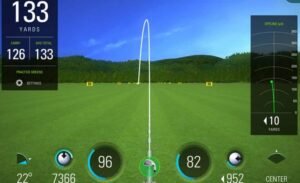
We take a look at the best golf simulators on the market in 2021, and show you how to build a full home setup for under $1K.
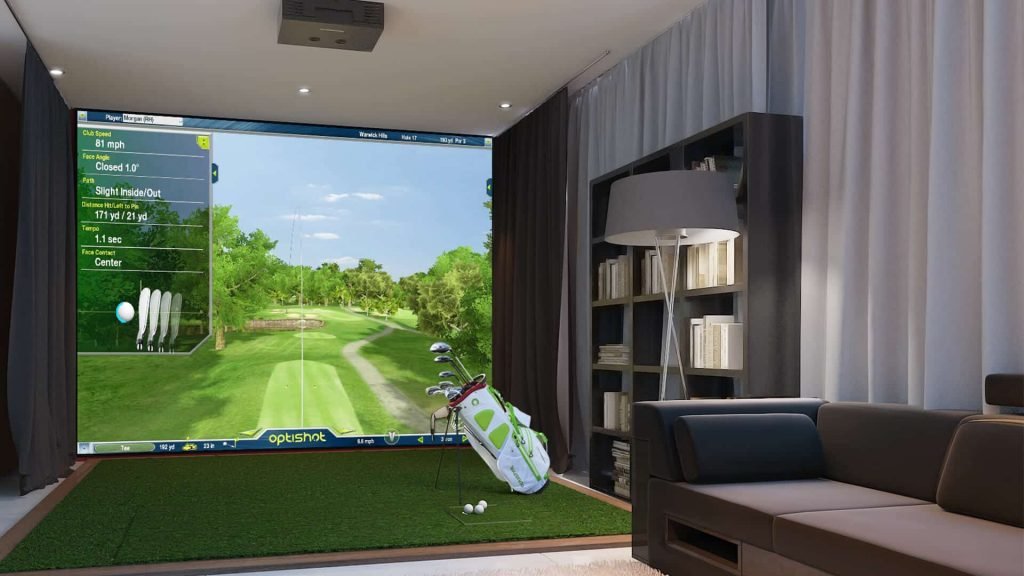
Fed up waking up pumped for your round, only to find out the course is flooded? Can’t be bothered heading to the driving range? Then you need a home golf simulator. We’ve picked out the 2 best golf simulators in 2021, with one setup that can be built for under $1K, and a high end simulator for those with bigger budgets.
We’ll dig into the ‘why’ in a moment with full reviews, but in summary there’s really no contest. If you’re looking for an affordable setup, which you can put together for under only $799 including net and hitting mat then go for the OptiShot2. If you have a bigger budget, and are looking for a simulator that will give you more feedback on your swing and accurate ball flight and launch conditions, then you need a SkyTrak system.
Think you’re going to have to outlay thousands of bucks for a home golf simulator?
Think again.
The OptiShot 2 is the world’s best selling golf simulator, and the good news is you can pick it up for just $799 including a hitting mat and net. That’s going to be all you need to get started if you connect to your iPad, but for the best setup you’ll probably want to pick up a projector and screen (our recommendations at the bottom of this guide).
Let’s see what you get.
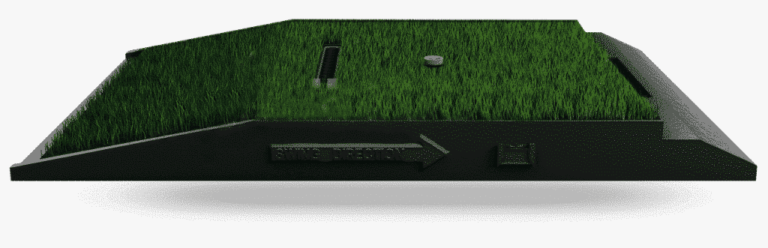
First, let me clarify that what you are buying here is the ‘brains’ of the golf simulator (which includes tracking mat and sensor).
Do you need anything else?
Well, no, and yes…
If you buy the OptiShot 2 and nothing else (assuming you already have golf clubs), you can set it up, plug it into your laptop or PC, and swing away anywhere that you have room for a full golf swing.
You don’t even need to hit a golf ball, as the OptiShot will track the shot as if you had.
You’ll get to see the results of your shot on your computer screen straight away.
But with that being said, if you have the budget, a few extra bits and bobs (and a bit of DIY) will add to your home golf simulator experience. We’ll get to that shortly, but for now let’s carry on with the review.
Here’s what you’ll get in the box when you buy the OpiShot2:
Some packages also include extra swing pad replacement turf and a longer USB cable (15 ft). The longer USB cable is certainly useful, but if you buy without it no biggy as you can pick up an extra long USB cable pretty cheap.
Why did I bold your club?
Because the OptiShot is not a launch monitor. It doesn’t track the flight of your ball, it tracks your club head.
So what does this mean for stats?
For each swing you’ll be able to see:
When I compared the distances reported by the OptiShot 2, to actual yardages measured on the course with my Garmin golf GPS, they were pretty close.
The system will record the stats so you can review averages for each club.
As the OptiShot does not track ball flight, you won’t get stats for launch angle or angle of attack.
But you will get to see an approximation of your ball flight on screen. And obviously if you’re hitting balls (be they real or foam) you’ll know how well you hit it.
Now let’s look at the software, and what you’ll see on screen.
I’m going to call this game play, because (aside from getting some useful feedback on your swing stats) really that’s what it is.
And yes, you can actually play a round of golf.
In fact, you can play (at least virtually) on some of the world’s best golf courses, including:
You can even play peer-to-peer against other golfers online.
Or you can just sharpen up your swing on the driving range